A way of building an image from red, green, and blue values.
01Color spaces + management
A color value needs a context.
RGB gives us three channels. Rec.709 gives those channels a shared display target. Color management defines how an image moves between contexts.
SDR • REC.709DAVINCI YRGB • MANUAL
TODAY'S BOUNDARY
01RGBHow values describe color
02REC.709Our SDR display target
03DAVINCI YRGBManual, non-color-managed setup
THE IDEA “Neutral” is a look—not the absence of one.
02Simple language
RGB is the language. Rec.709 is one set of rules.
RGB values describe mixtures of red, green, and blue. A color space tells a system what those values are supposed to mean.
RGB
A shared definition for the colors, white point, and tonal behavior represented by those values.
A standard SDR video context used by Resolve, displays, and delivery systems.
THE NUMBERS ARE NOT THE WHOLE COLOR. The same RGB values can represent different visible colors when interpreted in different color spaces.
Source: Resolve 20.3 Reference Manual, Color Management introduction03Display standard
Rec.709 is the agreement we are using—for now.
For this class, the destination stays simple: a standard-dynamic-range Rec.709 image viewed in a consistent Rec.709 environment.
01IMAGE VALUESRGB picture data
→02REC.709 RULESShared color context
→03DISPLAYExpected SDR appearance
IN THIS CLASSSDRStandard dynamic range
COLOR TARGETREC.709One agreed display context
NOT YETHDR / P3 / ACESUseful later—not today
A standard does not make the image beautiful. It makes the image's intended context less ambiguous.
04Data ranges
Video levels and data levels can carry the same picture differently.
Levels describe how the signal uses the available numeric container. They do not describe the creative contrast of the grade.
VIDEO LEVELSNARROWER CODE RANGE
PICTURE
Reserves code values below and above the nominal picture range. Common in conventional video systems.
DATA / FULL LEVELSWIDER CODE RANGE
PICTURE
Uses nearly the full available numeric range. Common in graphics, image sequences, and some exchange workflows.
WRONG INTERPRETATIONVideo read as FullBlacks may look lifted and whites may look dim.
WRONG INTERPRETATIONFull read as VideoBlacks may crush and highlights may clip.
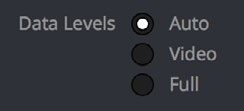
LEVELS ARE ABOUT INTERPRETATION. If sender and receiver agree, either range can carry the intended image correctly.
Source: Resolve 20.3 Reference Manual, pp. 225–22805Three handoffs
Levels can be set at the clip, the monitor, and the export.
These settings solve different problems. Changing one does not automatically repair a mismatch somewhere else.
How Resolve reads imported media.
AUTO FOR NOWHow Resolve feeds an external display.
MATCH THE HARDWAREHow Resolve writes the final file.
AUTO FOR NOWCLASS PRACTICELeave levels on Auto unless the file, display, or delivery specification gives you a reason to override them.
Source: Resolve 20.3 Reference Manual, clip, monitoring, and output levels 06Workflow choice
Manual and managed workflows answer the same question differently.
Both workflows must connect source media to a viewing and delivery context. The difference is who performs the transforms and where they happen.
TODAY
DaVinci YRGB
Manual / non-color-managed
CAMERA FILEYOU MANAGEREC.709
- Resolve does not automatically normalize every source.
- You are responsible for any LUTs, transforms, or manual normalization.
- Simple when the source and destination are already understood.
COMING LATER
DaVinci YRGB Color Managed
Automatic / scene-referred pipeline
INPUTRCMOUTPUT
- Resolve uses source, timeline, and output color-space definitions.
- Transforms are handled systematically across the project.
- Useful for mixed cameras and multiple deliverables.
07Visual intent
“Neutral” is a look.
Calling an image neutral does not remove taste. It describes a set of choices that feel believable, restrained, and contextually appropriate.
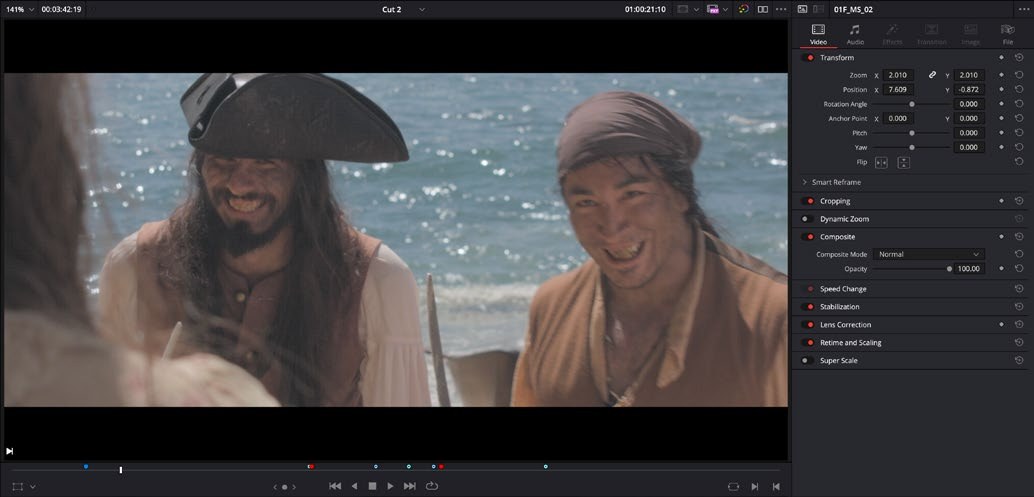
01What counts as white?
02How much warmth feels believable?
03How much contrast feels natural?
04Whose perception defines “correct”?
THE POINTNeutral is not what remains after creativity is removed. Neutral is a creative decision made inside a display context.
08Manual pipeline
Unmanaged does not mean unconsidered.
DaVinci YRGB leaves the color-space decisions in your hands. The project can still be organized, deliberate, and correct.
DAVINCI YRGBYOU ARE THE COLOR MANAGEMENT
What camera profile or display-ready format was recorded?
For now: an SDR Rec.709 classroom result.
No automatic input transform is being added for you.
Judge the image in the context you intend to deliver.
IMPORTANT. Selecting DaVinci YRGB and naming a Rec.709 timeline does not automatically convert every log camera file into Rec.709.
09Hands-on setup
Build a non-color-managed Rec.709 project.
Set the project's intent before importing footage. Today's goal is a predictable manual starting point—not a managed pipeline.

COLOR SCIENCEDaVinci YRGB
TIMELINE COLOR SPACERec.709 Gamma 2.4
OUTPUT COLOR SPACERec.709 Gamma 2.4
LEAVE OFFUse separate color space and gamma
CREATE A NEW PROJECT
Use a clear class-project name before importing media.
OPEN PROJECT SETTINGS
Click the gear at the lower right, then choose Color Management.
COLOR SCIENCE: DAVINCI YRGB
This keeps automatic Resolve Color Management off.
TIMELINE: REC.709 GAMMA 2.4
Choose the single Rec.709 Gamma 2.4 option for the classroom timeline.
OUTPUT: REC.709 GAMMA 2.4
Choose the same single option to keep the output aligned with the classroom display target.
SAVE BEFORE IMPORT
Lock the project setup first, then bring in the class media.
10
END OF CLASS
Build it. Verify it. Then import.
01RGB values need a color-space context.
02Our current target is SDR Rec.709.
03Video and data levels are different signal ranges—not different looks.
04DaVinci YRGB keeps color transforms manual.
05“Neutral” remains a creative and perceptual choice.
06Set the project before importing media.
HANDS-ON OUTCOMEA new DaVinci YRGB project configured for a manual Rec.709 workflow.
COURSE HOMEReturn to class guides→Sources + image credits
Interface images are educational excerpts from official Blackmagic Design training and reference materials.
The Beginner's Guide to DaVinci Resolve 20 ↗DaVinci Resolve 20.3 Reference Manual ↗DaVinci Resolve is a trademark of Blackmagic Design. This course reference is not an official Blackmagic Design publication.